Enter your business name in our Google Review Link Generator to get started creating your free Google Review Link:
Get Your Google Review Link
Generate a direct link for customers to leave reviews
1
Find Business
2
Your Info
3
Get Link
What is a Google Review Link?
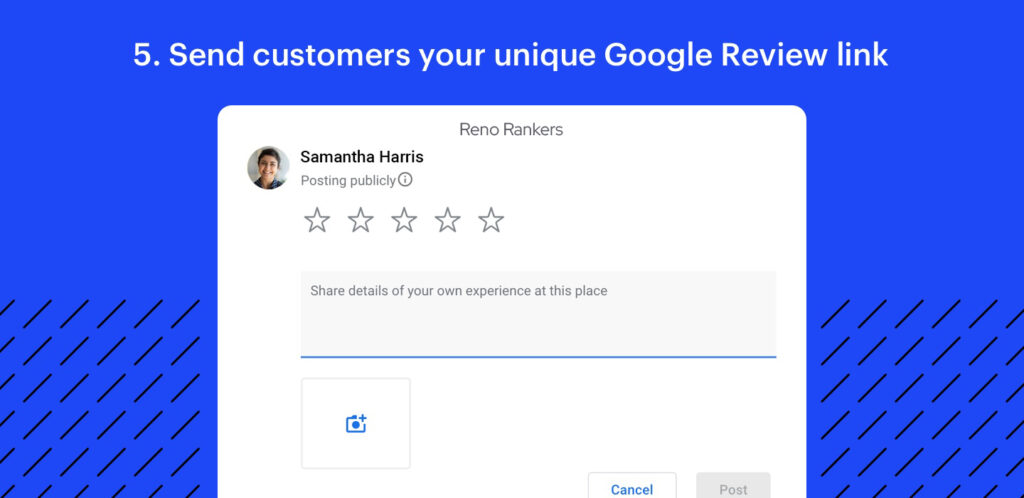
A Google Review Link is a unique URL that provides direct access to the review section of your Google Business Profile listing. You can use this link to direct customers to your Google listing, where they can easily write and post their reviews about your business. With a direct link, customers can post a review in just a matter of seconds instead of navigating the longer, 6-step process for how to leave a Google review.
Google Review Links can be shared through various channels such as email, website, social media, messaging apps, or any other marketing material. The link makes the process of leaving reviews easy for your customers. With a single click, they can land on your Google reviews page and share feedback about their experience with your business.
Having a healthy number of positive reviews can help increase your business’s visibility and reputation online. Therefore, by sharing this Google Review Link with your customers, you’re more likely to receive a positive review which can help you attract new customers and build a strong online presence.
The best part? Setting up your Google Review Link isn’t difficult—and once it’s set up you can use it in a lot of different ways. Discover how to generate your Google Review Link below.
How to Generate a Google Review Link Using PlaceID
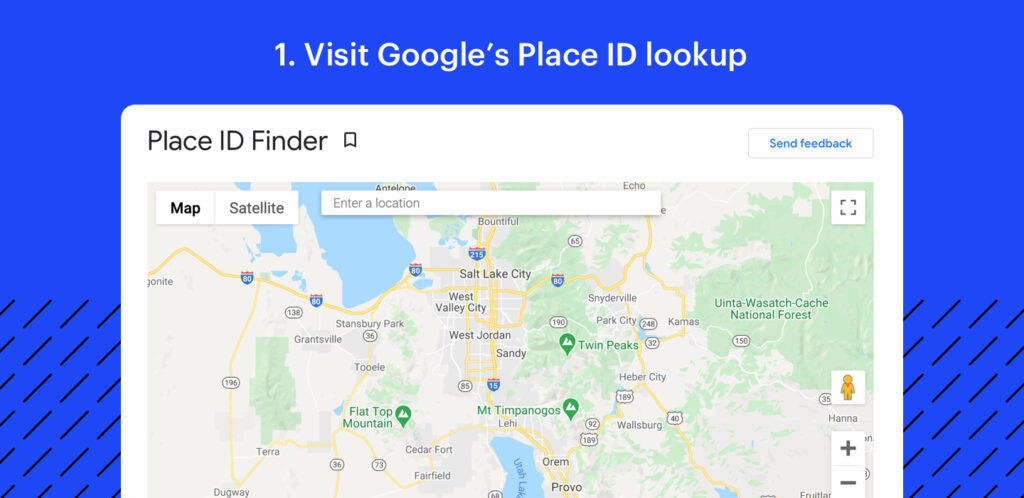
Go to the Place ID Lookup Tool on Google:
Open Google’s Place ID Tool. This is a simple generator that gives you a unique identification code for your business. Google uses this code to locate your business account in Google Maps.
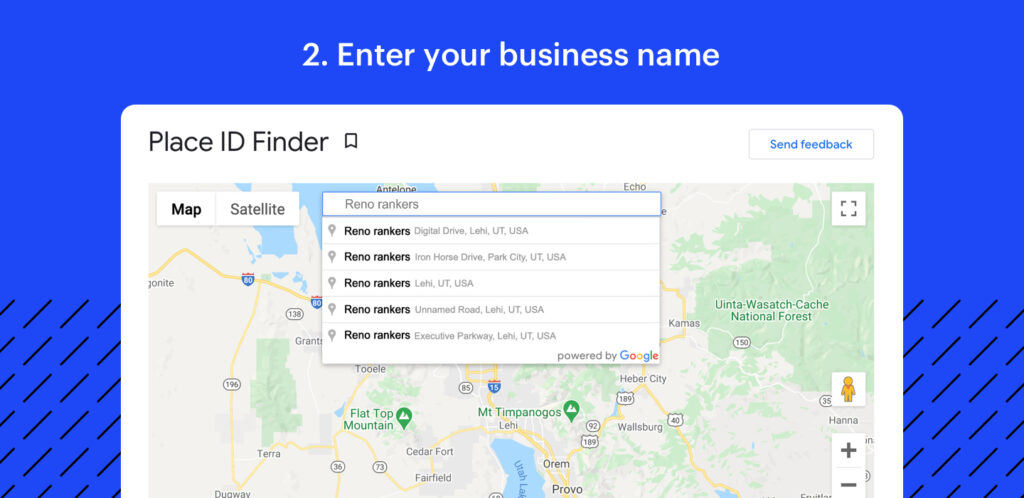
Find your Google Business Profile listing and access your Place ID:
To get your Place ID, type your Google Business Profile name into the “enter a location” field and select it from the drop-down. Once you’ve selected your business, the Google Map app will auto-adjust and your Place ID will appear on the map.
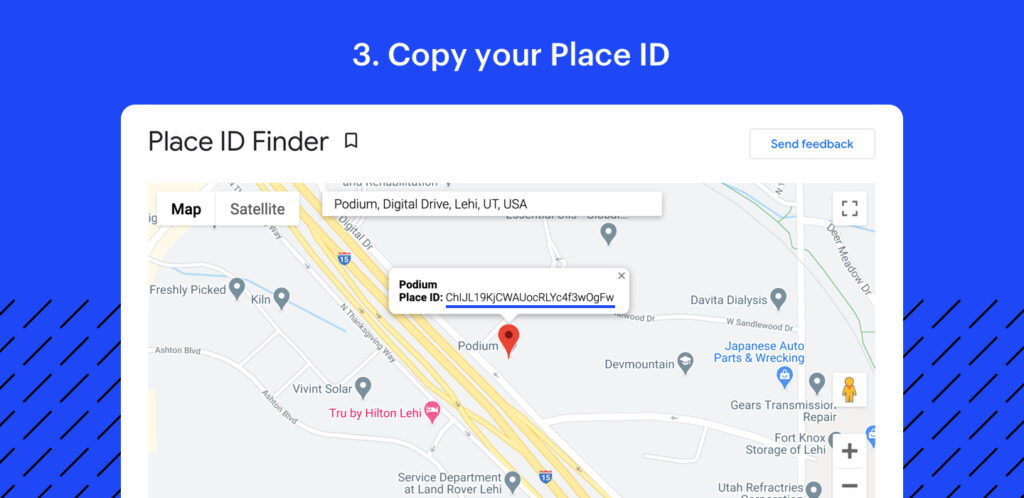
Copy your Place ID:
Your Place ID is the 25-character string of letters and numbers displayed beneath your business name. All you need to do is copy your Place ID.
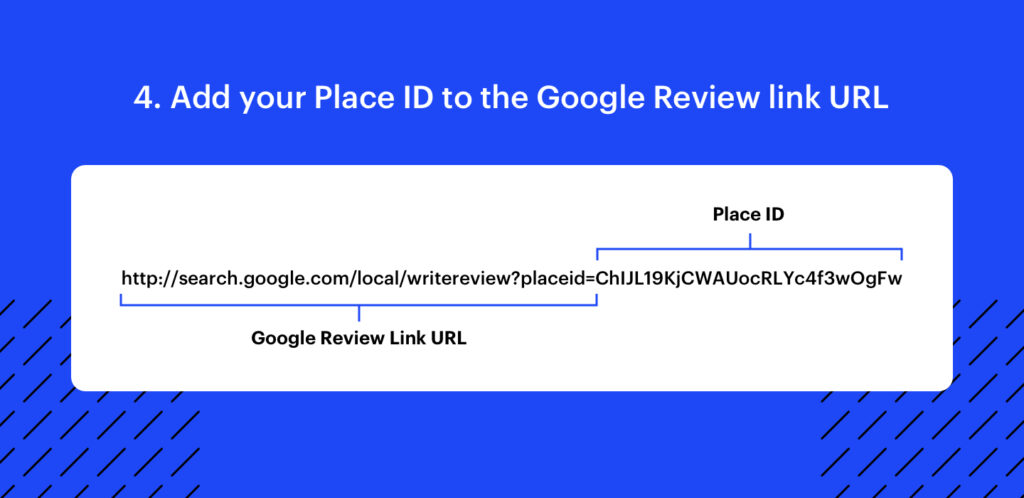
Add your Place ID to the provided Google URL:
Next, you’ll paste your Place ID at the end of the Google review URL, replacing with your Place ID. When your Place ID is added it should look like this:
https://search.google.com/local/writereview?placeid=PASTEPLACEIDHERE
Send your Google Review Link to customers:
Now that you have your Google Review Link, all you have to do is share it with your customers.